WorkWindow is a local-first planning workspace built around cards, due dates, work windows, and connected risk signals. It keeps scheduling, execution, and workload visibility in one place so planning feels clearer and more usable day to day.
The screenshots in this page are generated from a seeded demo workflow so the UI state stays consistent when reviewing the project.
Why this matters
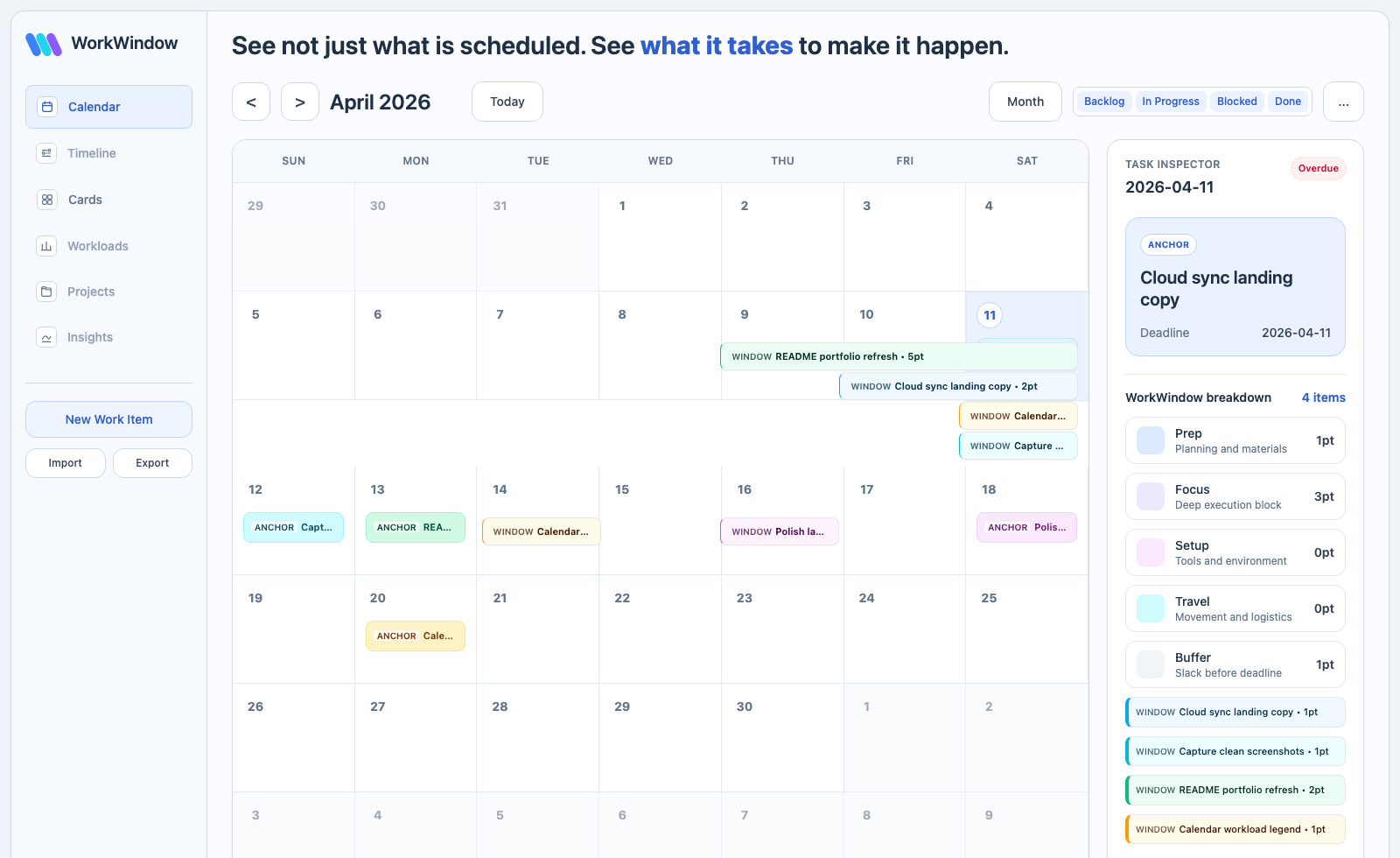
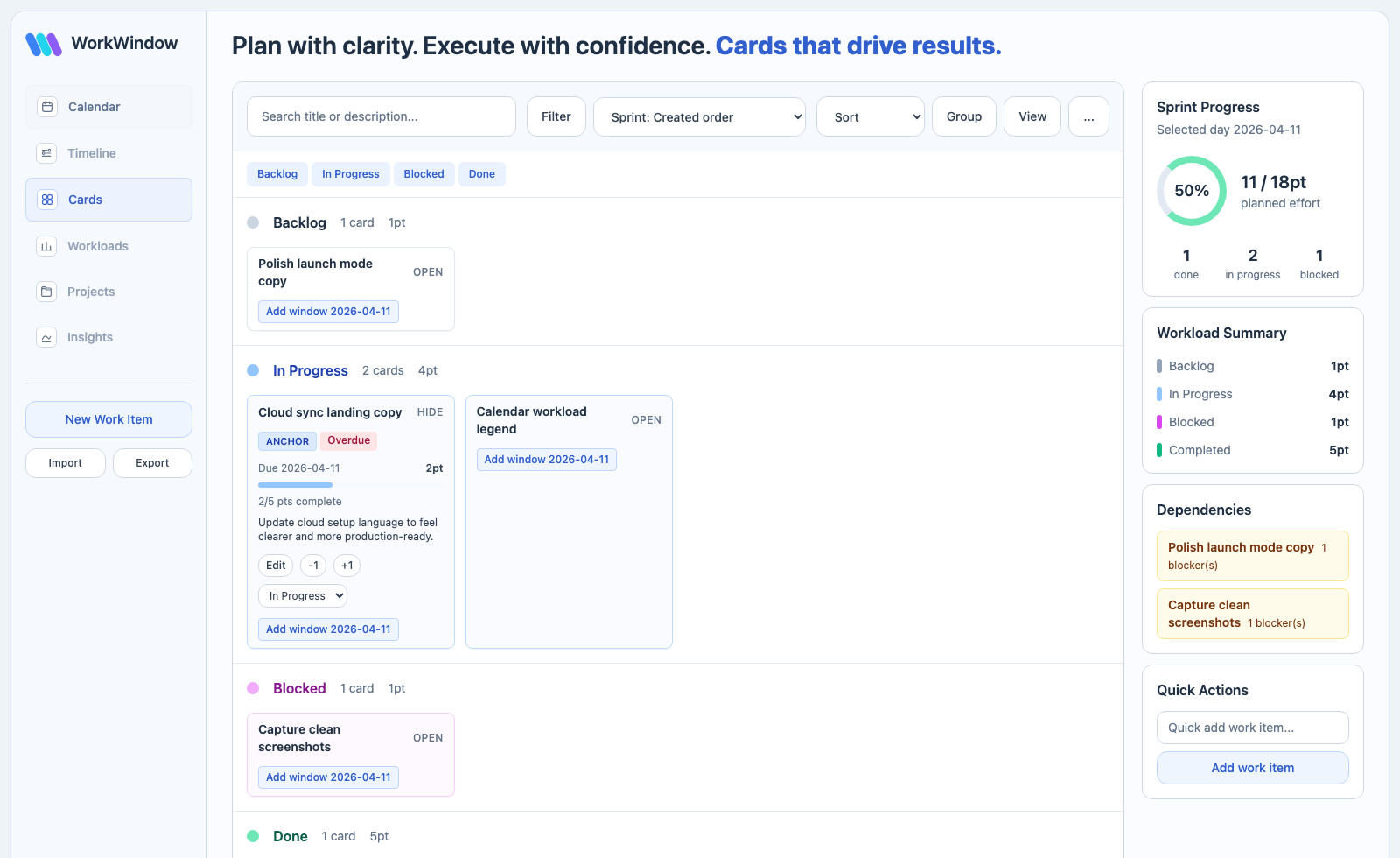
WorkWindow is useful because it treats planning as a connected workflow, not just a UI surface. The calendar, board, and workload view all support the same execution model, which makes the app easier to reason about and more useful in day-to-day use.
Core capabilities
- Kanban board with Backlog, In Progress, Blocked, and Done lanes.
- Month calendar with due-date anchors and supporting work windows.
- Dependency warnings, chain visibility, and cycle badges.
- Due-date shortfall and overdue risk indicators.
- Performance panel with burnup, plan coverage, and weekly velocity.
- JSON import/export and local/cloud mode support.
- Touch-friendly fallback actions for planning and status changes.
Technical snapshot
- React + Vite frontend with local-first state persistence.
- Optional Supabase Auth + Postgres sync path.
- Normalized reducer-driven state with migration scaffolding.
- Tests across store logic, calendar interactions, and Kanban flows.
- CI-gated quality checks with automated secret scanning.
Optional cloud sync
When no cloud env vars are present, WorkWindow opens in local-first mode. If Supabase is configured, the same planner can sync authenticated state across devices without changing the core product model.
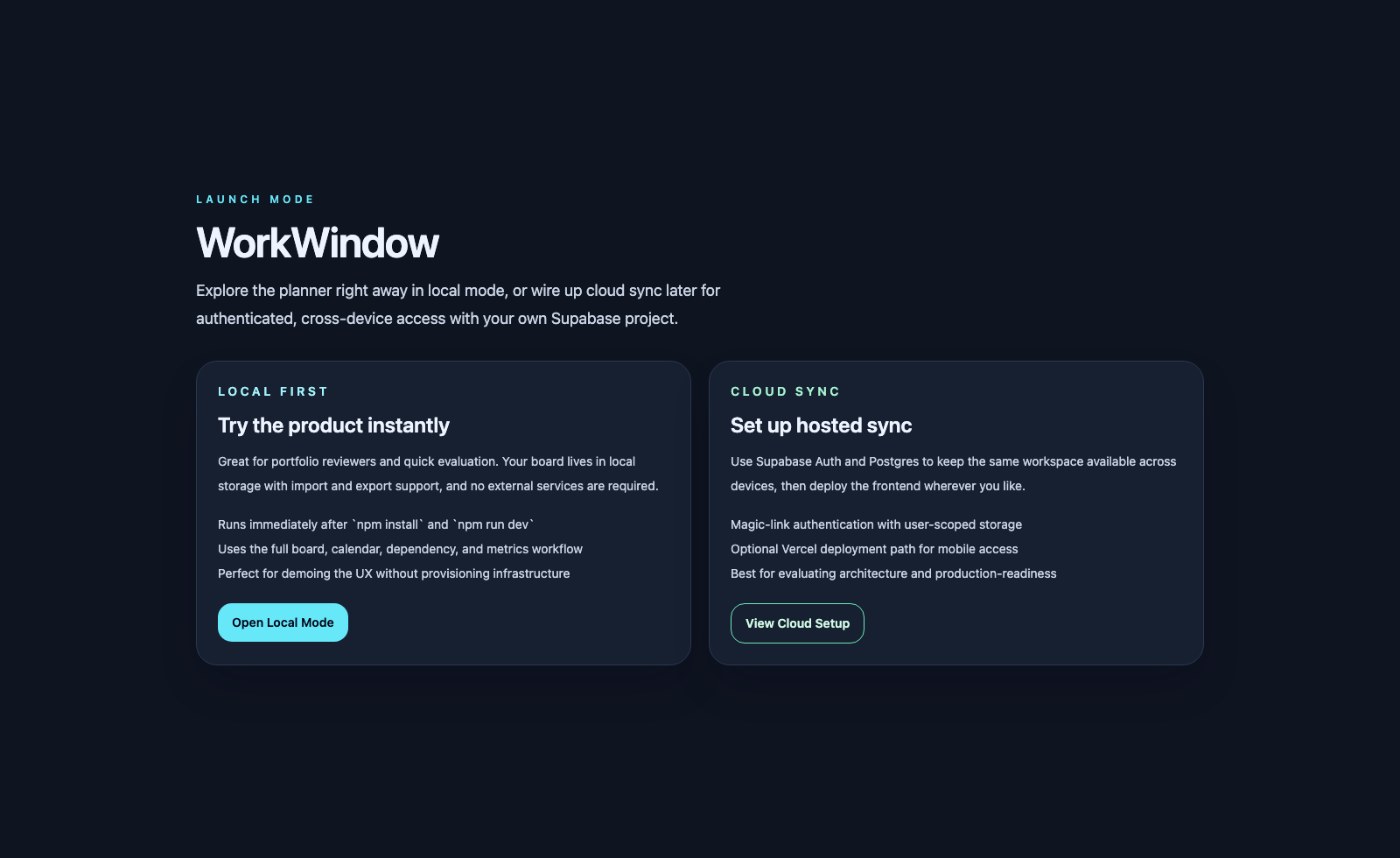
For setup details, see the README and cloud guide:
Implementation boundaries
WorkWindow is maintained as a public app repo, so the boundary is simple: keep the repository focused on implementation, docs, and public-safe defaults.
- Include: UI, app logic, tests, docs, schema, migration scripts, and sample data.
- Exclude: personal secrets, bot tokens, private deployment credentials, personal automation scripts, and exported personal task data.
- Keep live app data in runtime storage, not in git.
- Keep
.env.exampleas placeholders only, and leave.env.localuntracked. - Never expose service-only keys in Vite environment variables.
Links:
Trust and Policies
- Security policy: SECURITY.md
- Privacy notice: PRIVACY.md
- Contribution notes: CONTRIBUTING.md
Takeaway
WorkWindow shows that a real planning workflow can stay local-first, add cloud sync later, and still feel fast, understandable, and easy to evaluate.